Stackz Sponsored
Your investments, performance and dividends, together in one simple dashboard.
Price clarity grade C, 62 out of 100 clarityFinance & investing

Owner-claimed profile
bankconv.com
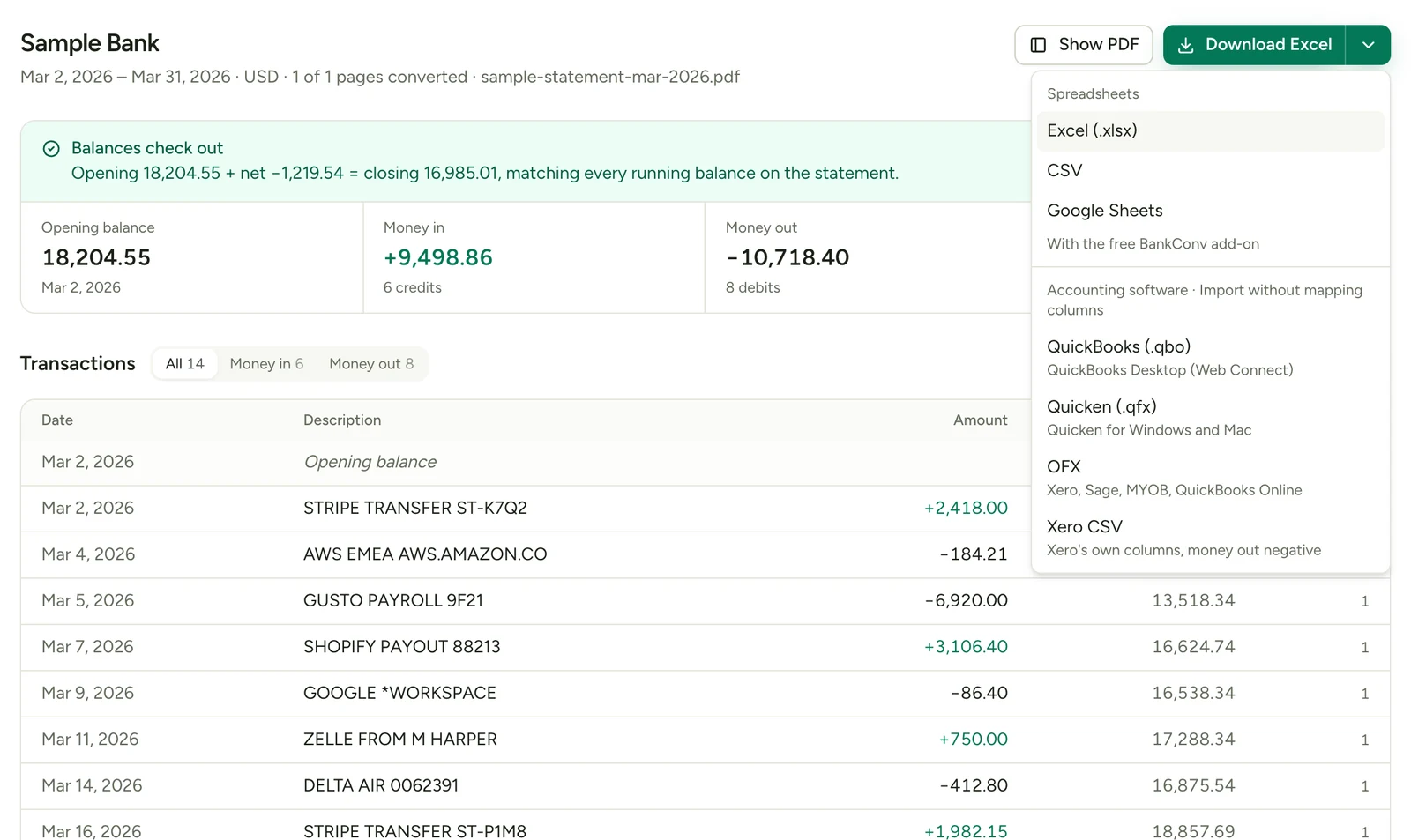
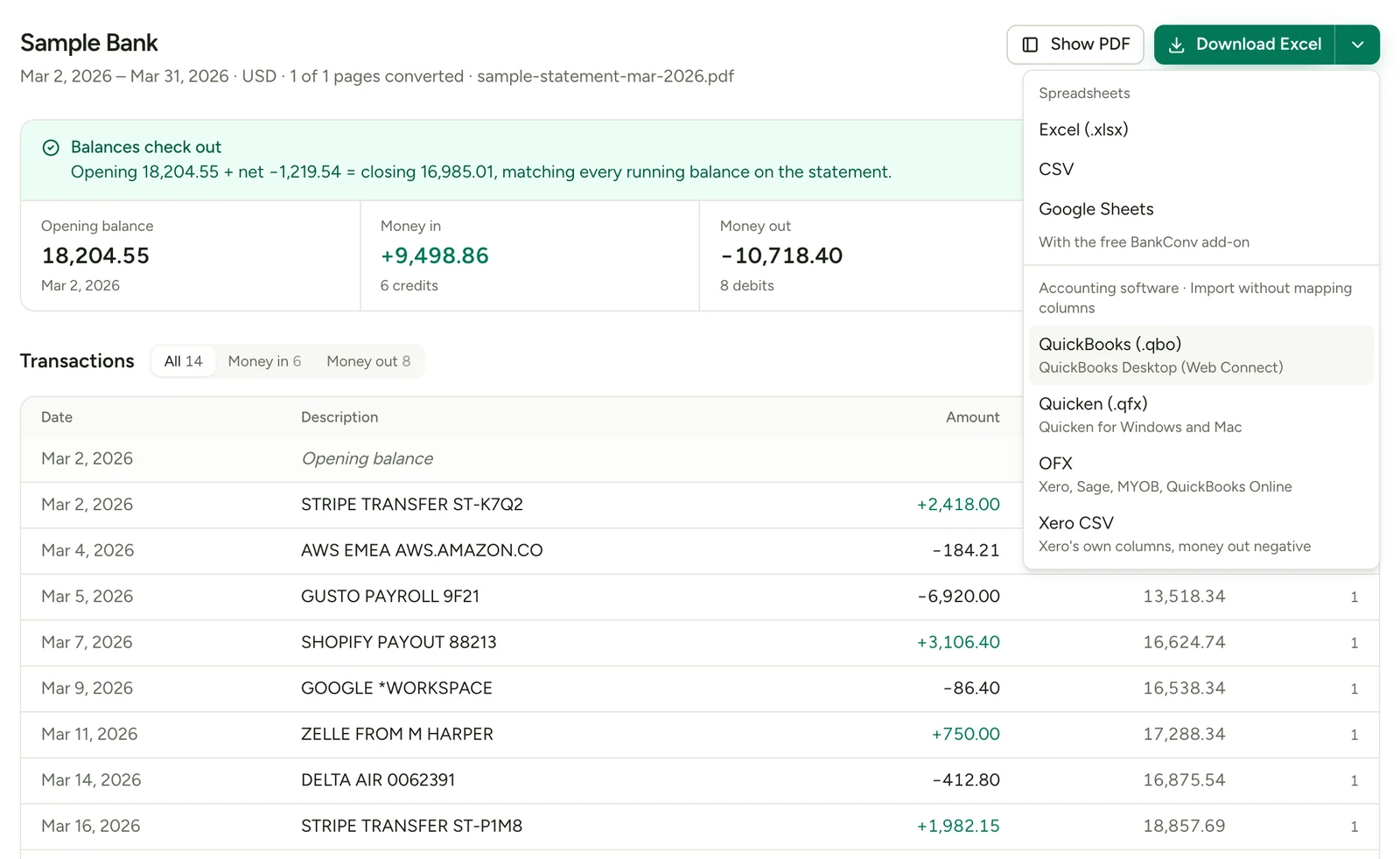
BankConv converts PDF bank and credit card statements into Excel, CSV, Google Sheets, OFX, QFX, QBO (QuickBooks Web Connect) and Xero CSV. Upload a statement, check the extracted transactions (date, description, amount and balance) and download the file for your spreadsheet or accounting software. It reads statements from 1,000+ banks, including scanned and password-protected PDFs, and never connects to your bank account. Your first statement converts free up to 5 pages; after that, pay $2.99 per statement or subscribe from $19 a month billed yearly.
Your investments, performance and dividends, together in one simple dashboard.
Price clarity grade C, 62 out of 100 clarityFinance & investing
The product, beyond the pitch
Owner-provided information · Sources checked Nov 7, 2026
3 plans read from bankconv.com's own pricing page. Set your seats to see what it costs.
THE COST FOR YOUR TEAM
Published plan prices for your team size and usage. Results update as you type. Taxes, currency conversion and unlisted add-ons are excluded, and anything the source did not state is called out rather than guessed.
Cheapest fit for 1 person, all 1 tools
$29.00/month
$348.00 a year on these plans.
| Tool / plan | Monthly | Per year | What this assumes |
|---|---|---|---|
| BankConv StarterCheapest fit Flat subscription | $29.00 | $348.00 | Prices in US dollars. Pages reset on a rolling monthly window and don't roll over. $29 a month billed monthly, or $228 billed yearly. Usage unit: pages. 500 included. Confirmed on this plan: 500 pages a month, Excel, CSV, Google Sheets, OFX, QFX, QBO and Xero CSV exports, Up to 10 PDFs per batch, Invite your team |
| BankConv Professional Flat subscription | $49.00 | $588.00 | Prices in US dollars. Pages reset on a rolling monthly window and don't roll over. $49 a month billed monthly, or $348 billed yearly. Usage unit: pages. 1,000 included. Confirmed on this plan: 1,000 pages a month, Excel, CSV, Google Sheets, OFX, QFX, QBO and Xero CSV exports, Up to 10 PDFs per batch, Invite your team |
| BankConv Business Flat subscription | $79.00 | $948.00 | Prices in US dollars. Pages reset on a rolling monthly window and don't roll over. $79 a month billed monthly, or $588 billed yearly. Usage unit: pages. 5,000 included. Confirmed on this plan: 5,000 pages a month, Excel, CSV, Google Sheets, OFX, QFX, QBO and Xero CSV exports, Up to 10 PDFs per batch, Invite your team |
Based on the sources below. Editorial review does not imply hands-on product testing.
Candidates based on category and primary feature. Check feature and pricing differences before switching.
Freelancers reconciling a few bank accounts per month. AI-powered OCR for scanned bank statements. Export to Excel (XLSX), CSV, QBO, JSON, or OFX formats.
Changes to the facts recorded here, not a live scan of every vendor update. Save this tool to follow updates in your account.
No changes recorded yet.
Comments
No comments yet. Be the first to say what BankConv costs you.